How to Use ComfortFiles in Dark Mode
Updated September 3, 2026
ComfortFiles follows your Mac. Set the Mac to dark and the app is dark; set it to Auto, which switches at sunset, and the app switches with it — while it is running, with nothing to restart and nothing to reopen.
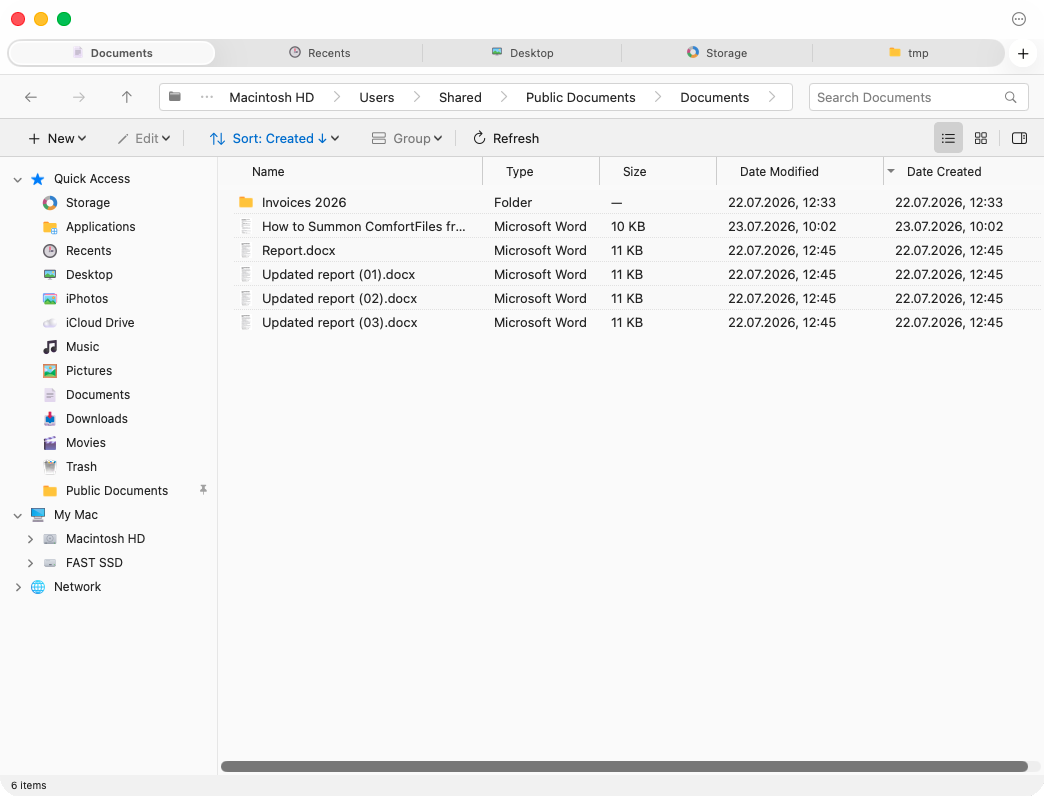
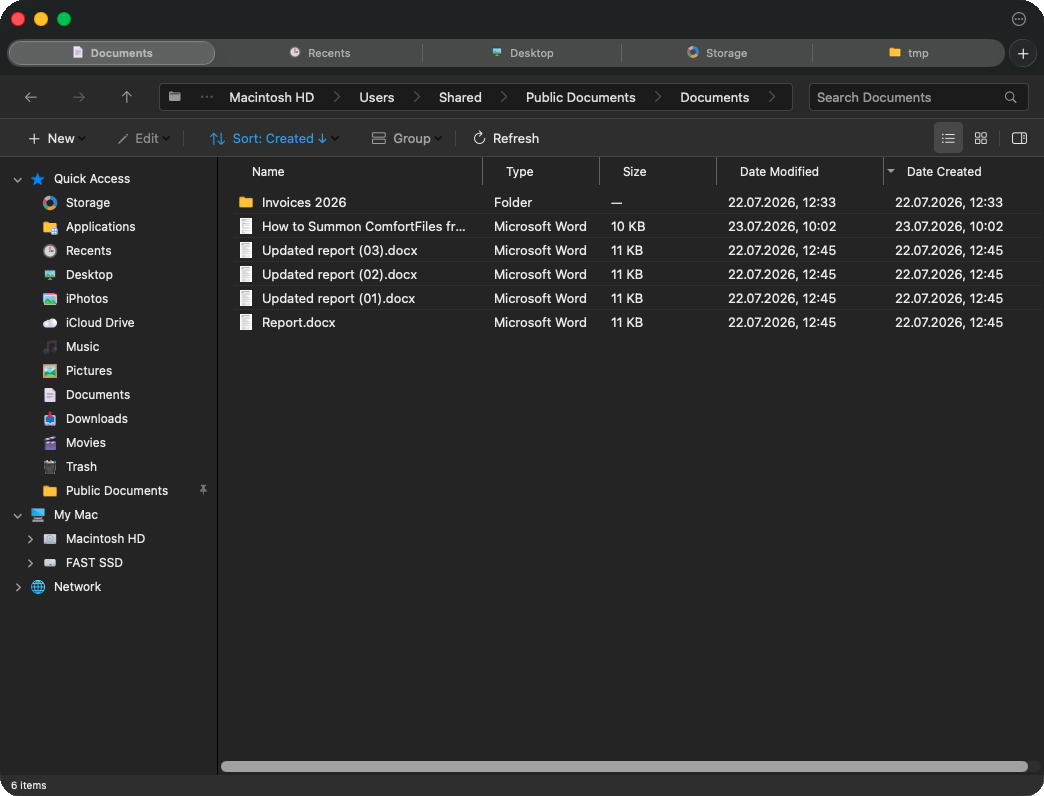
The same window, the same folder, the same tabs — one setting apart.
That is the default, and for most people it is the whole answer. The setting exists for the two cases it does not cover.
When you want to decide for yourself
Press ⌘, and open the View pane. Appearance has three choices:
| Choice | What it does |
|---|---|
| Match System (default) | Follows the Mac, including its automatic switch at sunset |
| Light | Stays light, whatever the Mac is doing |
| Dark | Stays dark, whatever the Mac is doing |
The two fixed choices are there for real habits rather than for completeness. Some people keep the Mac light for everything else and want a file manager that is easier on the eyes late at night. Others keep the Mac on Auto for the desktop but do not want an app they have open all day changing under them halfway through the evening.
The change is immediate and it reaches everything at once — open windows, menus, the preview panel, the sidebar. There is no restart, and no window that keeps the old theme until you close it.
What does not change
Only the colours. Every control stays where it was, nothing is hidden in dark mode and nothing appears that was not there in light. If you learned where something is, it is still there.
Frequently asked questions
Does ComfortFiles have a dark mode?
Yes, and by default you do not have to turn it on: ComfortFiles follows whatever your Mac is set to. If your Mac is dark, so is ComfortFiles — and if you use Auto, which switches at sunset, ComfortFiles switches with it, while it is running, with nothing to restart.
Can I keep ComfortFiles dark while the rest of my Mac stays light?
Yes. Open Settings (⌘,), go to View, and set Appearance to Dark. It stays dark whatever the Mac does. Light does the same in the other direction.
Do I have to restart the app after changing it?
No. The window you are looking at changes as you choose, and so does every other window, menu and panel that is open at the time.
What is the default?
Match System — the Mac decides. That is what the app did before this setting existed, so nothing changed for anyone who never opens it.
Does dark mode change anything besides the colours?
No. Every button, list and panel sits exactly where it did; nothing is hidden or moved. It is the same app in different clothes.