The layout you already know
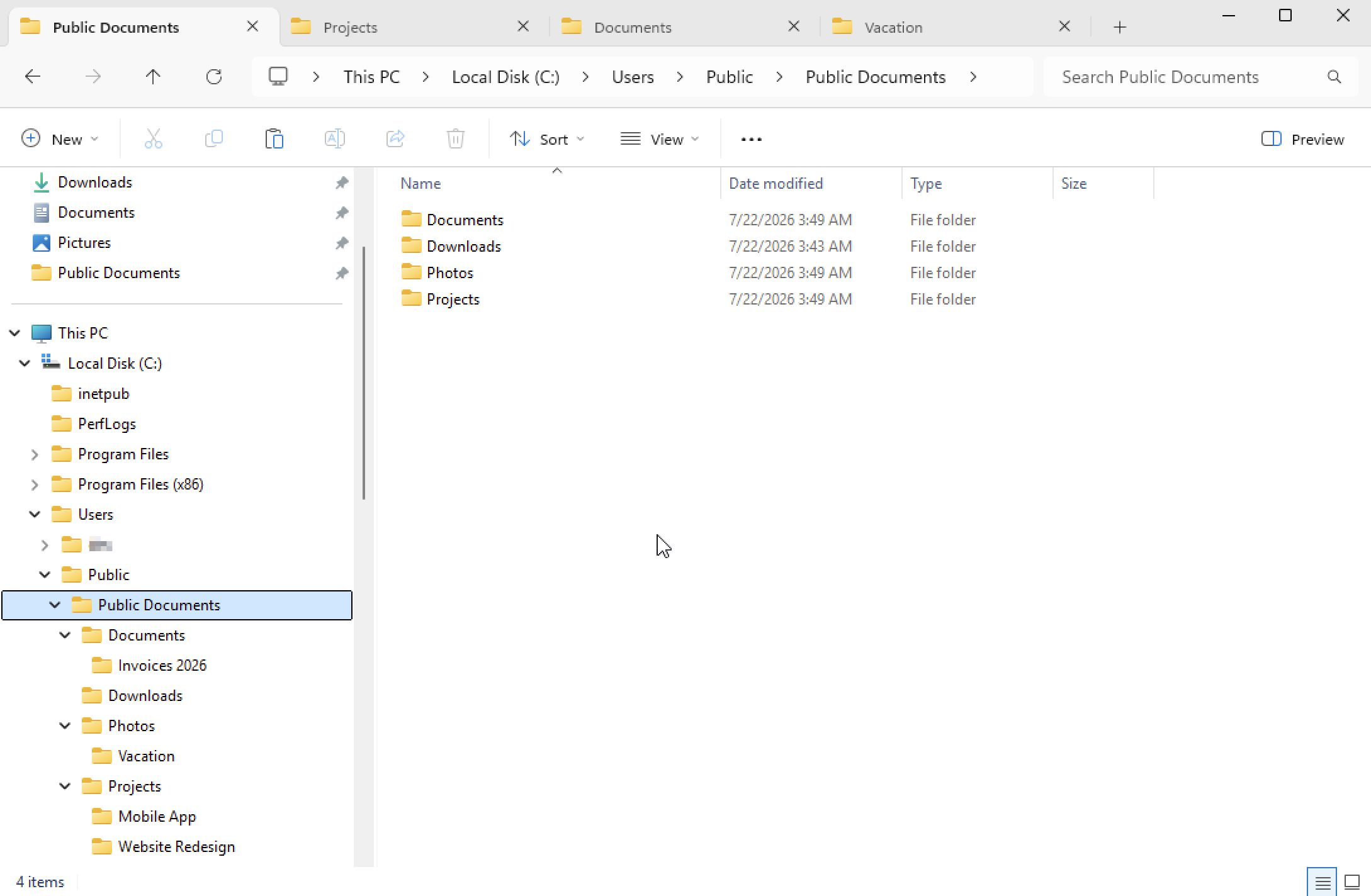
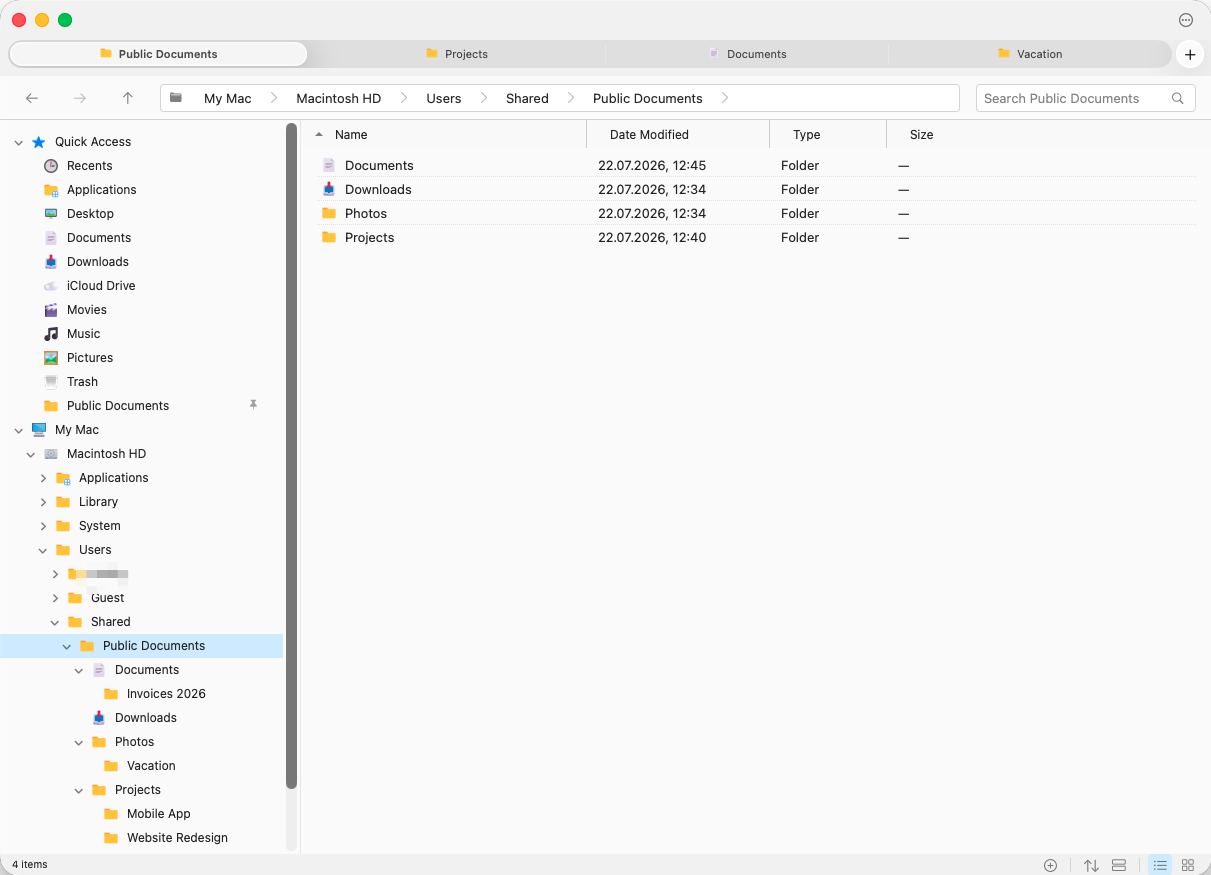
Folder tree in the sidebar, address bar with breadcrumbs, details list with sortable columns. The Explorer layout — as a native Mac citizen.
Windows habits and Mac behaviour in one app — folder tree, address bar, cut & paste that works.
Free for 30 days. Keeps working after. · For macOS 13 Ventura and later
On a PC right now? Email yourself the link and open it when you are at your Mac.
Folder tree in the sidebar, address bar with breadcrumbs, details list with sortable columns. The Explorer layout — as a native Mac citizen.
Open folders in tabs (⌘T) and move files by dragging them onto another tab or straight onto a folder in the tree.
How it works →Move files the way you did for years: cut in one folder, paste in another. With app-wide undo when a move goes wrong.
How it works →Click column headers to sort, filter as you type, group by kind, date, or size — Explorer-grade list control.
How it works →Browse ZIP, RAR and 7z archives in place and preview what is inside — and edit a ZIP without extracting everything first.
How it works →Storage shows where your space went, folder by folder, and says in plain words what each big thing is — System Data included — and whether it is safe to remove. Nothing is deleted until you say so.
How it works →Google Drive, Dropbox and OneDrive sit in the sidebar beside iCloud Drive. See which files are only in the cloud, and give downloads back to free up room — without deleting a thing.
How it works →Follows your Mac between the two, including the automatic switch at sunset — or stays on the one you choose, whatever the Mac is doing.
How it works →100% native AppKit — not Electron. Starts instantly, stays out of your way, and looks at home on macOS.
Your first month is free — the full app, no account, no card. After that, a yearly license at $15 or a lifetime license at $49. One license covers three Macs.
$15 $7.50 first year
Renews at $15 a year until you cancel. Every update included.
Buy yearly $49 $24.50 once
Pay once and keep it. Every update included, no renewals.
Buy lifetime* Launch discount: 50% off your first payment until October 31, 2026. A yearly license then renews at $15 a year.
Don't pay? The app keeps working. You'll just see a small reminder banner.
A real Mac app built with AppKit — no Electron. Every public build is signed and notarized through Apple.
No account, no cloud, no tracking. ComfortFiles works entirely on your Mac and never sends your data anywhere.
After the free month it keeps working — a gentle reminder, never a lock. We’d rather earn the purchase.
Undo and redo for file operations, and a visible Trash instead of silent deletes — mistakes can be taken back.
Not from Apple — macOS ships with Finder, which works differently on purpose. ComfortFiles is a native macOS file manager that reproduces the Explorer layout and habits: a folder tree in the sidebar, an address bar you can type paths into, cut and paste for files, and folders sorted first on every column.
Finder has no ⌘X for files: you copy with ⌘C and then move with ⌘⌥V, which surprises most people coming from Windows. ComfortFiles supports ⌘X and ⌘V the Explorer way, with ⌘Z to undo a move.
Finder has no editable address bar and no persistent folder tree — the closest built-ins are the Path Bar, ⇧⌘G "Go to Folder", and column view. ComfortFiles has both: a tree sidebar you can expand, and an address bar showing clickable breadcrumbs that also accepts a typed or pasted path.
ComfortFiles is available now from comfortfiles.com/download — a signed and notarized DMG for macOS 13 and later. The first month is free with no account; after that it is a yearly licence, at $15 a year or a one-time lifetime licence at $49, and one licence covers three Macs. When a licence lapses the app keeps working and only shows a reminder — there is no lock-out.
More in the FAQ.